01 · Foundation
BENTO Secure Firmware
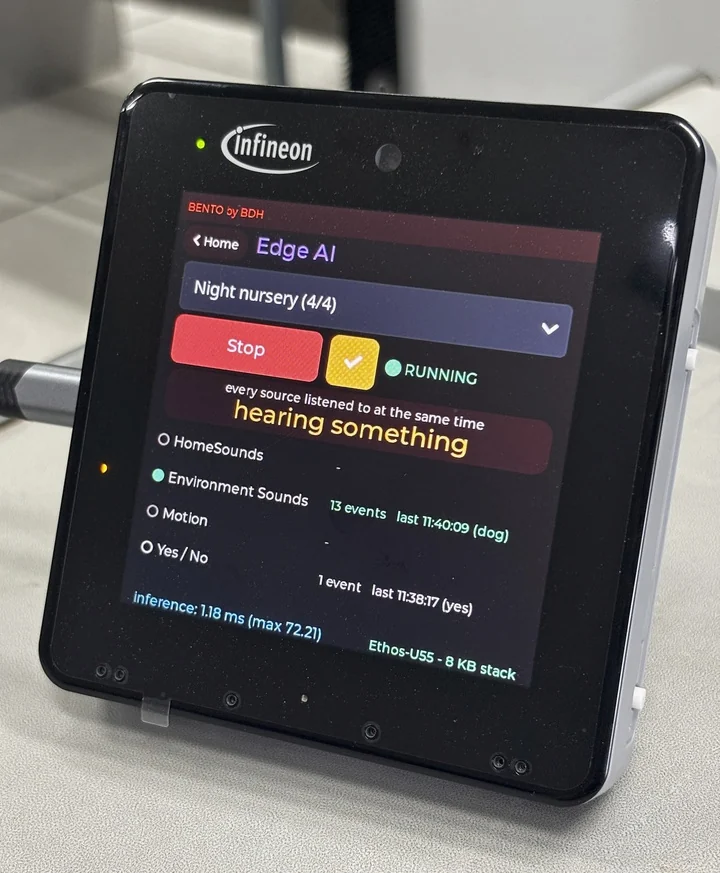
The foundation on the chip. BENTO firmware runs as three parts on the two Arm® cores of Infineon PSOC™ Edge E84: the Cortex®-M33's TrustZone secure world, its application world that acts as the brain, and an AI core, the Cortex®-M55 on FreeRTOS, that runs several Edge AI models at once on the Arm® Ethos™-U55 NPU. Application developers build on top of it in the BENTO IDE. A few lines of Python choose the models and read their results, with no C code.
- TodayEach sound or motion model carries its own signal settings, so adding a model never means new firmware
- TodayThe board checks each model against what its sensors really deliver, and refuses a mismatch with the reason
- TodaySeveral models share the one NPU as a saved scene, which starts again by itself after a power cut
- TodayStart, confirm and end levels for each class turn raw scores into events, each reported once with its duration
- TodayOn the BENTO HMI Kit, a delivered model opens only on its own board, and the board proves its identity over mutual TLS, provisioned at delivery
- TodaySecure boot and signed-model verification, switched on in every BENTO device we deliver
Firmware details →
02 · Learn
BENTO Edge AI Trainer / DEEPCRAFT™ Studio
Models are trained and judged here. Each step of the workflow runs by itself; where a choice has to be made, AI agents choose among options the engine has already checked, and a person signs off where it matters. Install it on a local AI server, on your own premises or in the cloud.
- TodayLive recording from the board over USB, with labels added as you record
- TodayAI agents choose among options the engine has already checked, and every choice is logged and can be undone
- TodayFourteen quality gates that are never waived, and a check against the rules the board's firmware uses to load a model
- TodayExtensions for labelling, augmentation and data checks install from one page, run offline and start switched off
- TodayOne command starts a trainer, with or without a GPU, on a local AI server, on premises or in the cloud. Each trainer signs the models it makes with its own key
About the Trainer →
03 · Deliver
BENTO Secure Edge AI Store
Models are found here and delivered. They install like songs, scenes play like playlists, and each one goes from the browser to the board its owner chose, without new firmware.
- TodayOn the BENTO HMI Kit, each model is sealed to the one board it is sent to, with a one-time ticket the board itself creates, over USB or the network
- TodayGroup models into a scene, like songs in a playlist, and run them together on one board
- TodayConnect your board and each card says whether that model will run on it, and why not
- TodayThe Store learns a board's key only from the board itself, never from the browser
- TodayEvery model shows the trainer that made it, and a published version never changes
- TodayOn the BENTO HMI Kit, tick Auto Start when you send a model or a scene, and the board runs it by itself every time it is switched on
About the Store →
04 · Create
BENTO IDE
Applications are made here, in the browser. Write one as a Flow, as Blocks or in Python, try it on the BENTO Emulator, ask the AI Buddy, then run it on the real board over USB.
- TodayThree ways to write one app: wire Flow nodes, snap Blocks or type Python, with live values on the wires
- TodayThe BENTO Emulator runs real MicroPython in the browser and draws the board's own screen, built from the firmware's own sources
- TodayA Virtual Hardware Console of buttons, knobs, LEDs, tilt and an RGB matrix, so an app can be tested before a board arrives
- TodayThe AI Buddy reads your connected board and explains errors in Thai or English. A reset, a file write or running code waits for your click
- TodayRemote Flash puts BENTO firmware on a board from the IDE through a small helper app, with no toolchain to install
About the IDE →
05 · Run
PSOC Edge BENTO Device
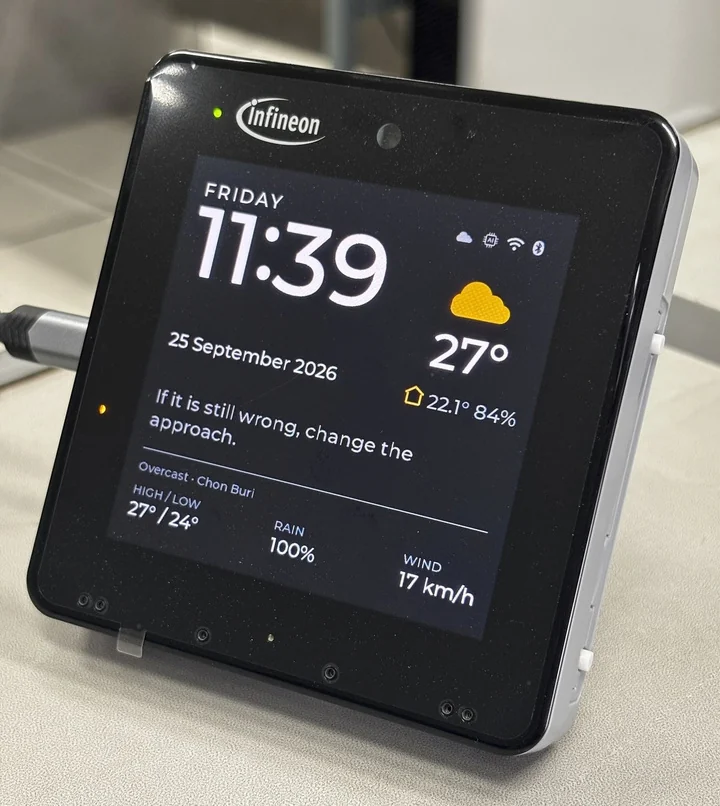
Built on Infineon PSOC™ Edge E84, a microcontroller made for devices that listen, sense and show at the same time. The BENTO HMI Kit puts a screen, radar, a motion sensor and microphones in one device, and BENTO feeds it intelligence.
- TodayA Cortex®-M55 with an Arm® Ethos™-U55 NPU for AI, beside a Cortex®-M33 with TrustZone for the brain and the keys
- TodayA built-in 2.5D graphics engine drives screens up to 1024 by 768 at 60 frames a second
- TodayUp to six microphones connect directly to the chip, and several models listen and sense at once
- TodayRuns on the BENTO HMI Kit, the TESAIoT Dev Kit and the PSOC™ Edge E84 Evaluation Kit, offline on the chip's own NPU
- TodayHighlights: a timeline of what the board recognised and when (results only, no recordings)
- TodayAlways sensing: once loaded, the AI keeps watching the microphones, the motion sensor (IMU) and the radar in the background on the board itself, day and night
See the device →