BENTO · Venture 01

Secure Edge AI, from the chip up.

BENTO takes an idea all the way to a model running on a device. It has five parts: firmware on the chip, an IDE for writing applications, a Trainer that builds and tests models, a Store that delivers them and the device that runs them.

What is new

What we have not found anywhere else.

Most parts of BENTO exist somewhere in some form. What we could not find are these combinations, after checking the public documentation and code of comparable tools and stores. If you know of an earlier example, tell us and we will correct this page.

Edge AI Store

A store that knows your board

It reads the connected board, tells you whether each model will run on it and why not, and installs the model into the board's running MicroPython firmware from the browser, without putting the board into a special mode or reflashing it. We found no other public model store that does this.
BENTO IDE

Three views of one program, in one browser tab

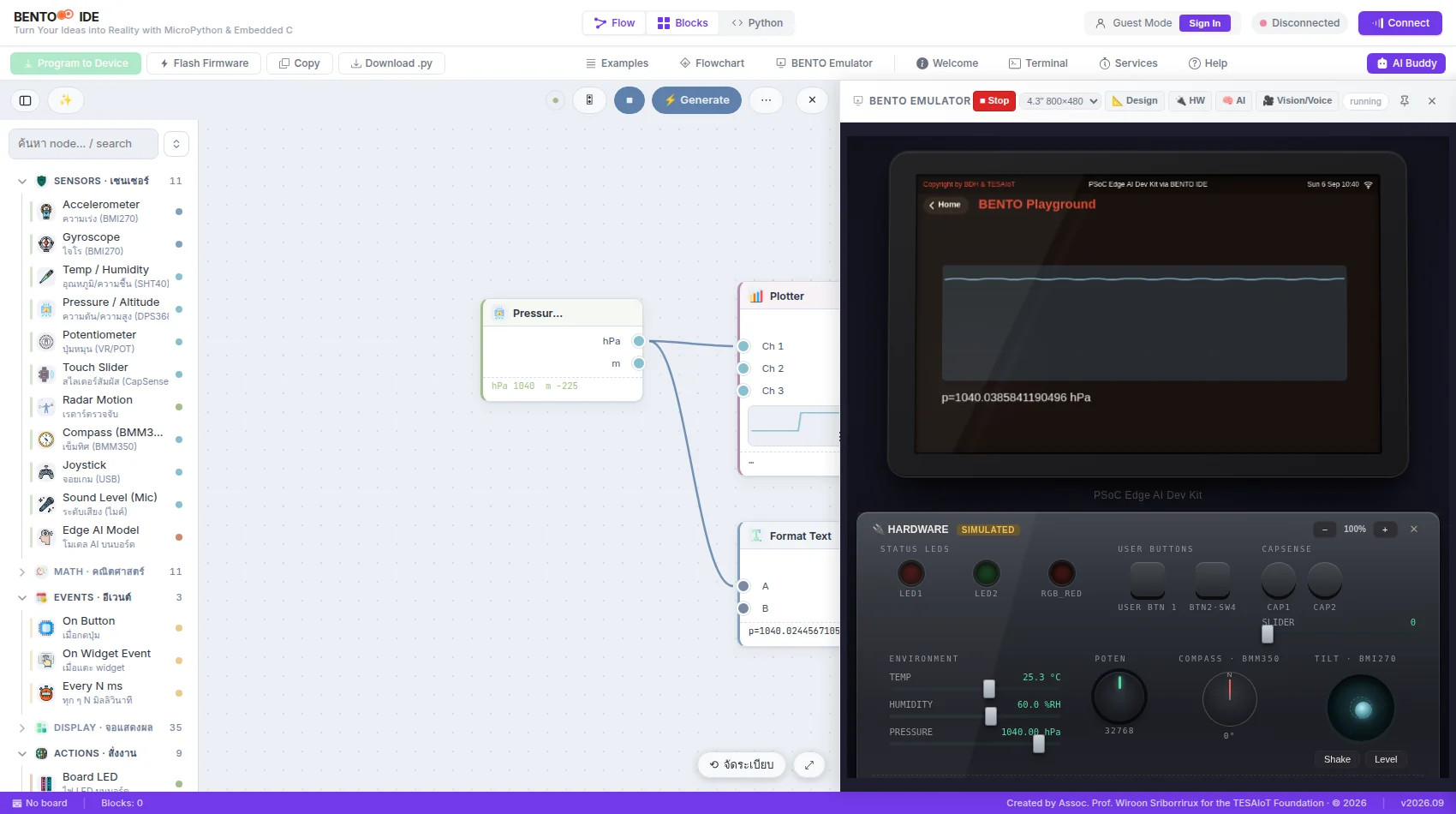
Built for PSOC™ Edge E84, it shows the same program as a Flow, as Blocks and as Python. The program runs in a MicroPython emulator of the board and then on the real board from the same tab, in Thai and English. We found no other browser IDE that brings these together.

Edge AI Trainer

Training with its evidence attached

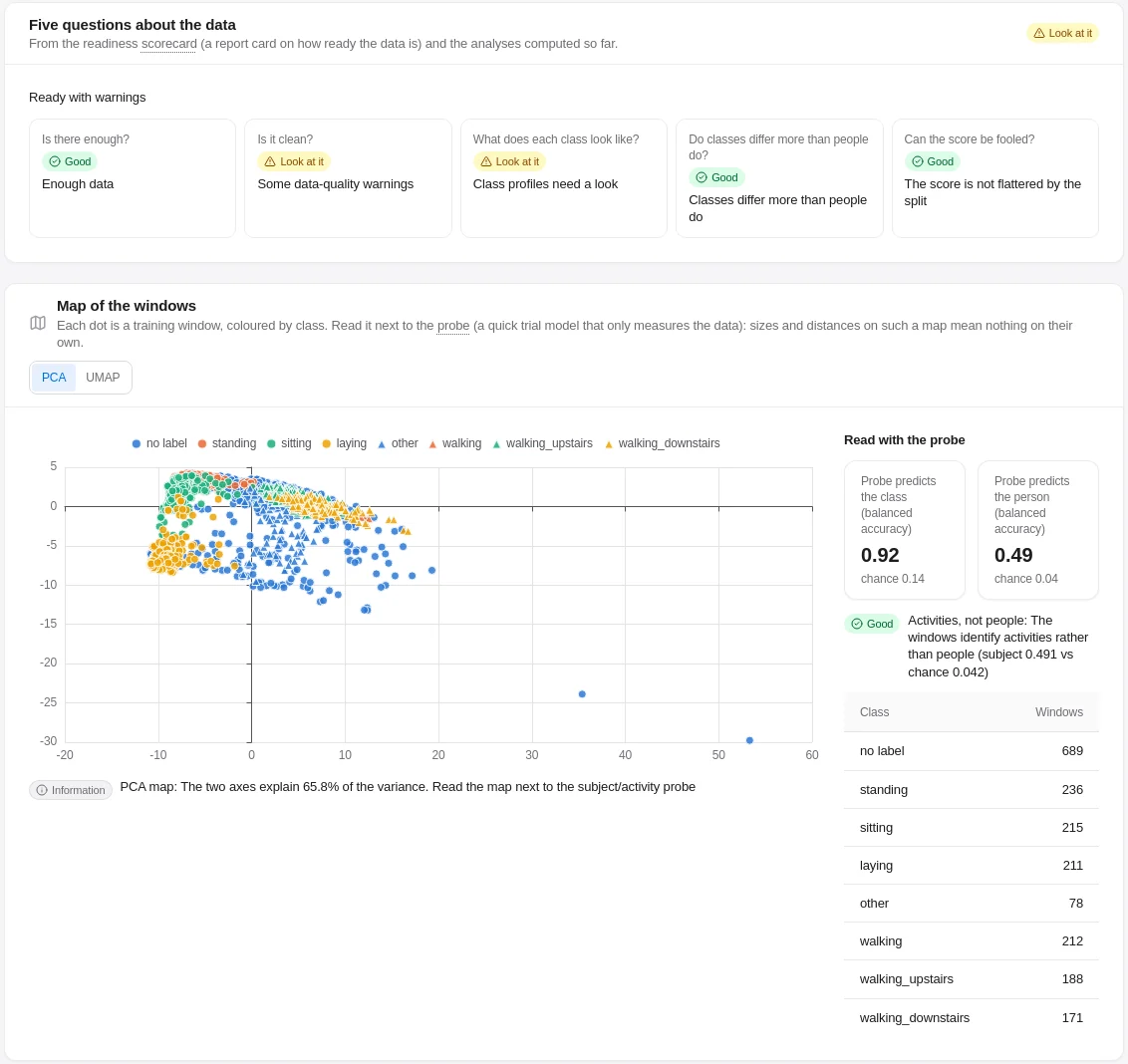
Every run is checked by release gates (a test set locked against changes, a control run on shuffled labels and a test that the model does not leak who was in its training data) and against the rules the firmware uses to load models. It runs on a self-hosted team server with approvals, in English and Thai, with a signed hand-off to the store. We found no other edge-AI training tool that combines them.

Sources: vendor documentation and public code for model stores and deploy tools for microcontrollers, browser IDEs for MicroPython, and edge AI training tools.

01 · BENTO Secure Firmware

The firmware on the chip.

Firmware in three parts on the two Arm® cores of Infineon PSOC™ Edge E84, written in C, with MicroPython for applications. Everything else in BENTO stands on it.

  • Today

    Applications in MicroPython, with an on-screen UI and APIs for the IMU, microphone, radar and environment sensors on the boards that carry them.

  • Today

    On-device inference, offline. Several models come built in, such as motion and sound classes; some of them are published by Infineon and Imagimob under their own terms.

  • Today

    Models arrive from the Edge AI Store at runtime, without a firmware reflash.

  • Today

    Edge AI Creator: the board records IMU or microphone data straight into the Edge AI Trainer over USB. Audio is recorded only with the speaker's consent on the page.

  • Today

    Each current release states which board it is for, so the browser installer offers the right firmware for each board.

  • Today

    Per-board sealed model storage and board identity over mutual TLS on the BENTO HMI Kit, provisioned at delivery.

  • Today

    Secure boot and signed-model verification, switched on in every BENTO device we deliver.

Cortex®-M33 · TrustZone

Secure world

The first BENTO code to run. It sets up the chip's secure world, and on the BENTO HMI Kit it holds the board's identity and opens sealed models.

Cortex®-M33 · application

Application world, the brain

Runs the device's logic in MicroPython, its network connections and its model store. On the BENTO HMI Kit it checks each model's signature before handing it to the AI core.

Cortex®-M55 · Ethos™-U55 NPU

AI core on FreeRTOS

Runs several Edge AI models at once on the NPU, alongside the display and the sensors.

Application developers build on top of the firmware in the BENTO IDE, without changing it.

Boards

BENTO HMI KitPSOC™ Edge E84 HMI form factor: screen, radar, IMU, microphone
TESAIoT Dev KitPSOC™ Edge E84 AI Kit module on a TESAIoT base board
PSOC™ Edge E84 Evaluation KitInfineon's evaluation kit (no radar)

Infineon PSOC™ Edge E84: Arm® Cortex®-M55 and Cortex®-M33 with an Arm® Ethos™-U55 NPU. Toolchain: Infineon ModusToolbox™ and Arm GCC; models compiled for the NPU with Arm Vela.

02 · BENTO IDE

Build applications in the browser.

The BENTO IDE is where you write the applications that run on a BENTO device. Build them as a Flow of connected nodes, as Blocks or in Python, test them in an emulator of the board, and then run them on the board over USB.

Open BENTO IDE

BENTO IDE: a Flow of sensor nodes beside the board's emulator and hardware panel
  • Today

    Three ways to build the same app: Flow, a no-code canvas with live values on the wires; Blocks, mapped one to one to the firmware's modules; and Python with autocomplete, which converts back to Blocks.

  • Today

    The BENTO Emulator runs MicroPython in the browser at the board's own screen size, with a simulated hardware panel, so every idea can be tried before a board arrives.

  • Today

    Connect, run and install applications on the board over USB, straight from the browser.

  • Today

    More than 500 examples, Karel Robot lessons and BENTO Arcade games, and an AI Buddy that answers in Thai or English. About 200 students used it in a single session in September 2026.

03 · BENTO Edge AI Trainer

Training checked by fourteen quality gates.

The Trainer takes raw sensor data to a model that runs on the PSOC™ Edge E84. People stay in charge at every step, and it works in English and Thai.

Open the Edge AI Trainer

  • Today

    Six steps: bring in the data, clean and explore it, define classes and labels, train and tune, compile for the NPU, and publish.

  • Today

    Motion (IMU), sound and radar data. Each recording must state its units, axes and sample rate; if any of these is missing, the recording is refused rather than guessed.

  • Today

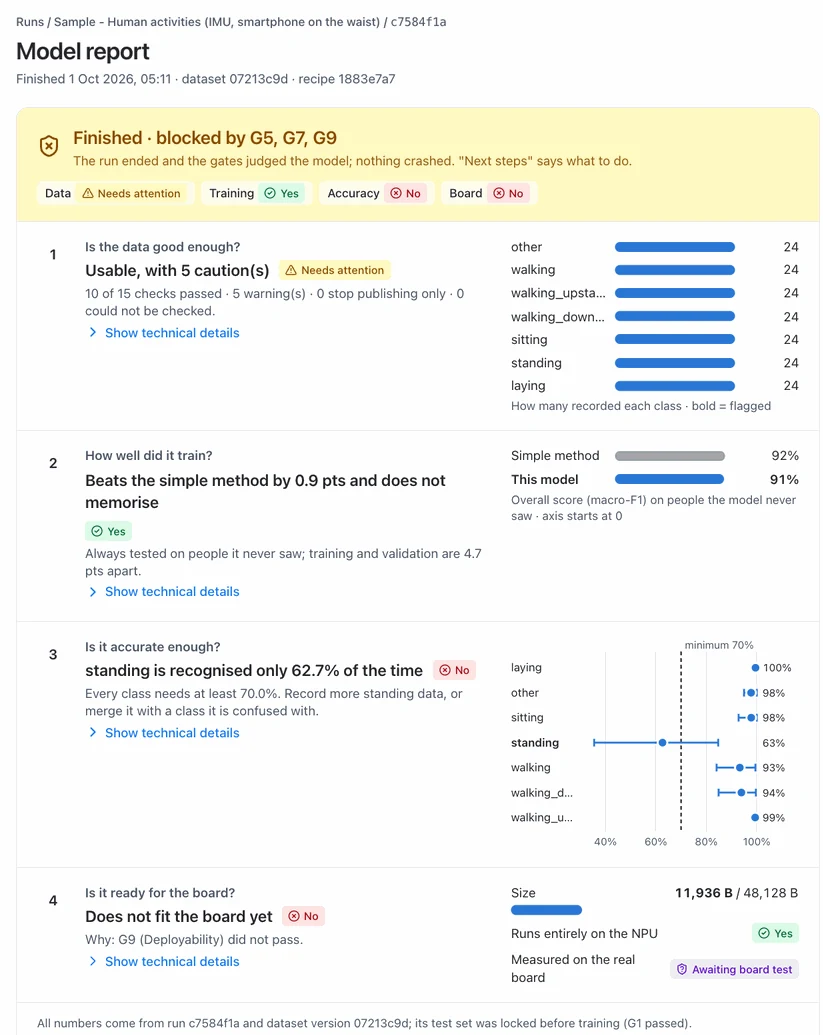
    Fourteen quality gates that nobody can silently waive. They include a test set that cannot be altered unnoticed, a control run on shuffled labels to show the results are not chance, a minimum detection rate for every class and every group, and a check that the model does not reveal who was in the training data.

  • Today

    Compiled for the Ethos™-U55 NPU and checked against the rules the BENTO firmware uses to load models, before release.

  • Today

    Runs on your own server, with or without a GPU. The creator requests a release and an administrator approves it for the Store.

  • Roadmap

    An on-board test for every model before it reaches the stable channel. Until that test is running, Trainer releases go to the experimental channel. Access is by invitation during the pilot; on-site licences for organisations are being prepared.

Trainer · data profile
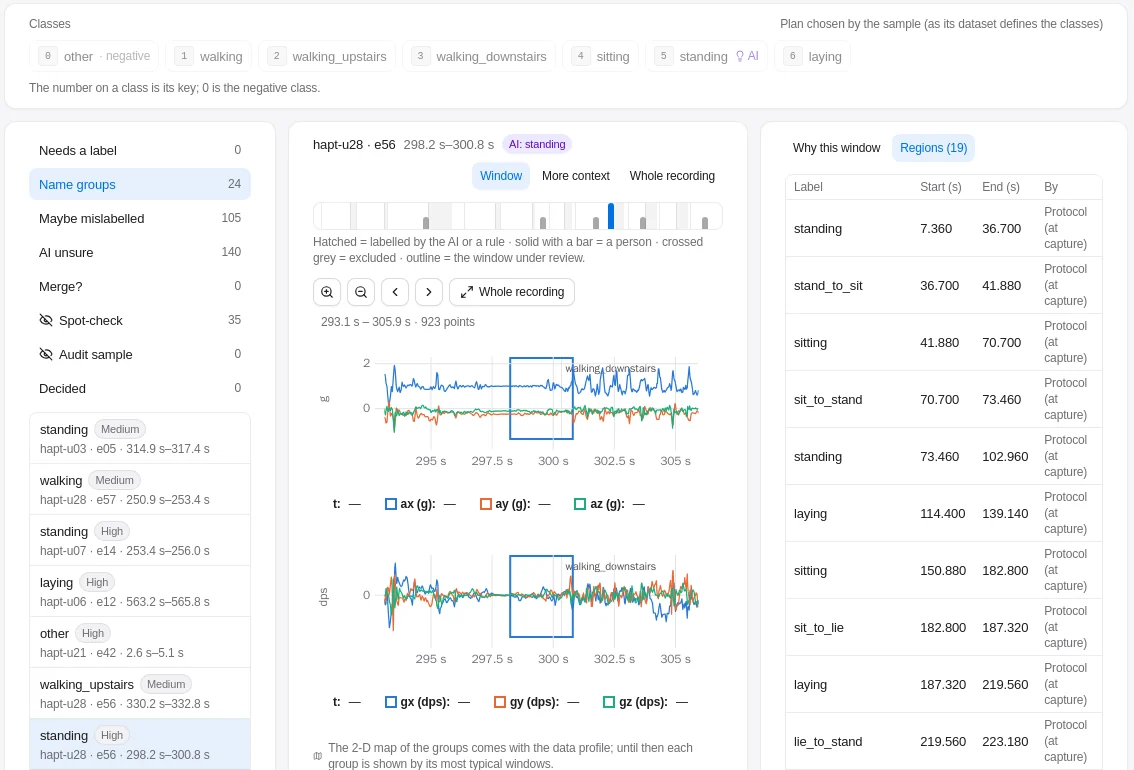
Trainer · labelling
Trainer · labelling
Trainer · gate report

04 · BENTO Secure Edge AI Store

Deploy AI models instantly and securely.

Pick a model, check whether it can run on the board in front of you, and send it from the browser without a reflash. You can browse without signing in, in Thai and English.

Open the Edge AI Store

  • Today

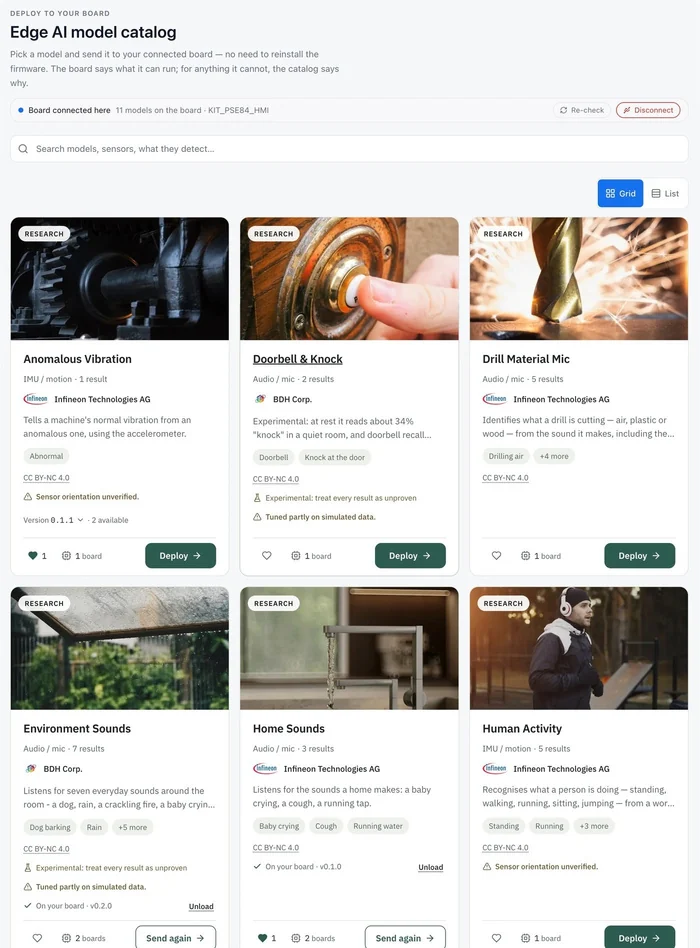
    Board-aware cards: each says only what it knows about your board (running now, ready to deploy, or why not).

  • Today

    Deploy from the Chrome browser over USB, straight from the Store page to the connected board.

  • Today

    My Devices: register a board as yours by its chip ID, then release or transfer it later.

  • Today

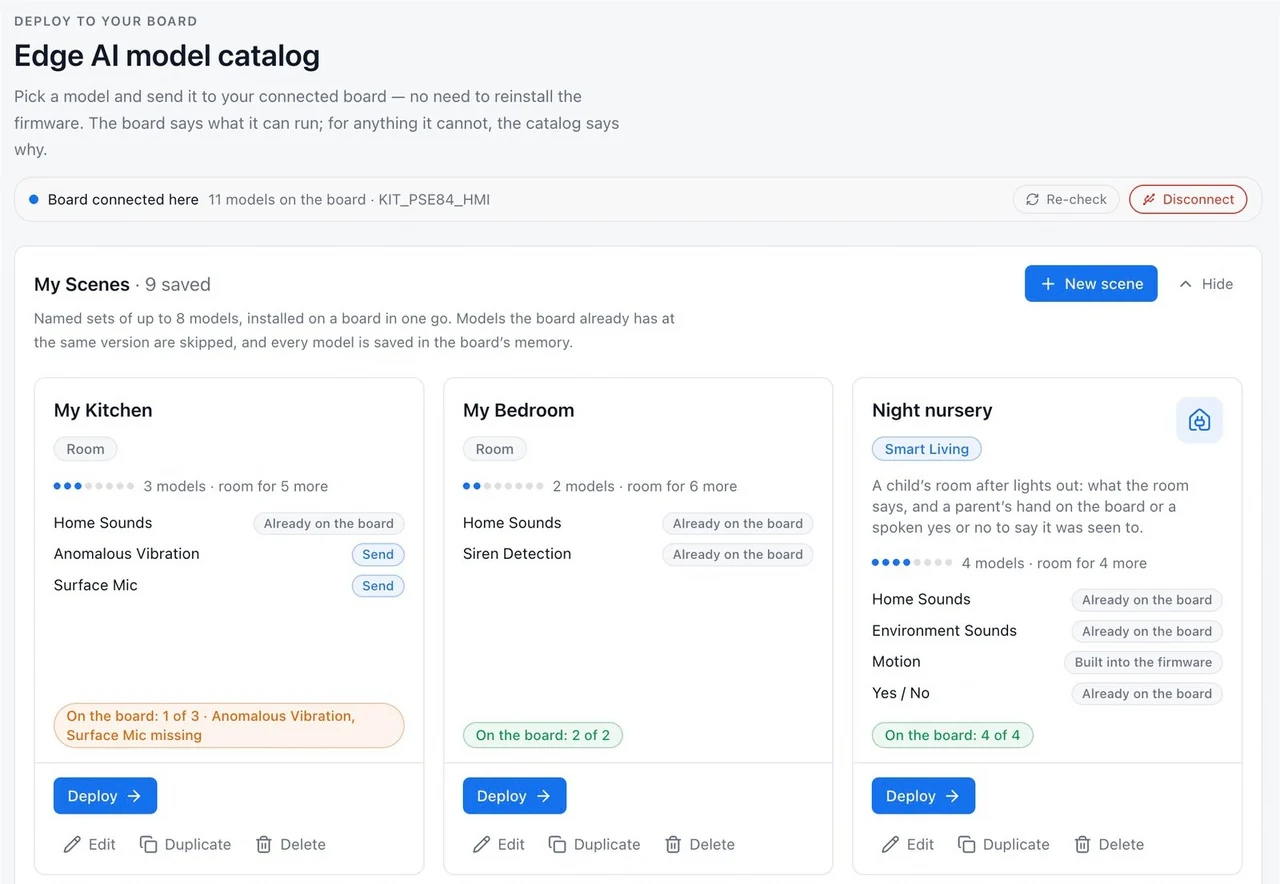
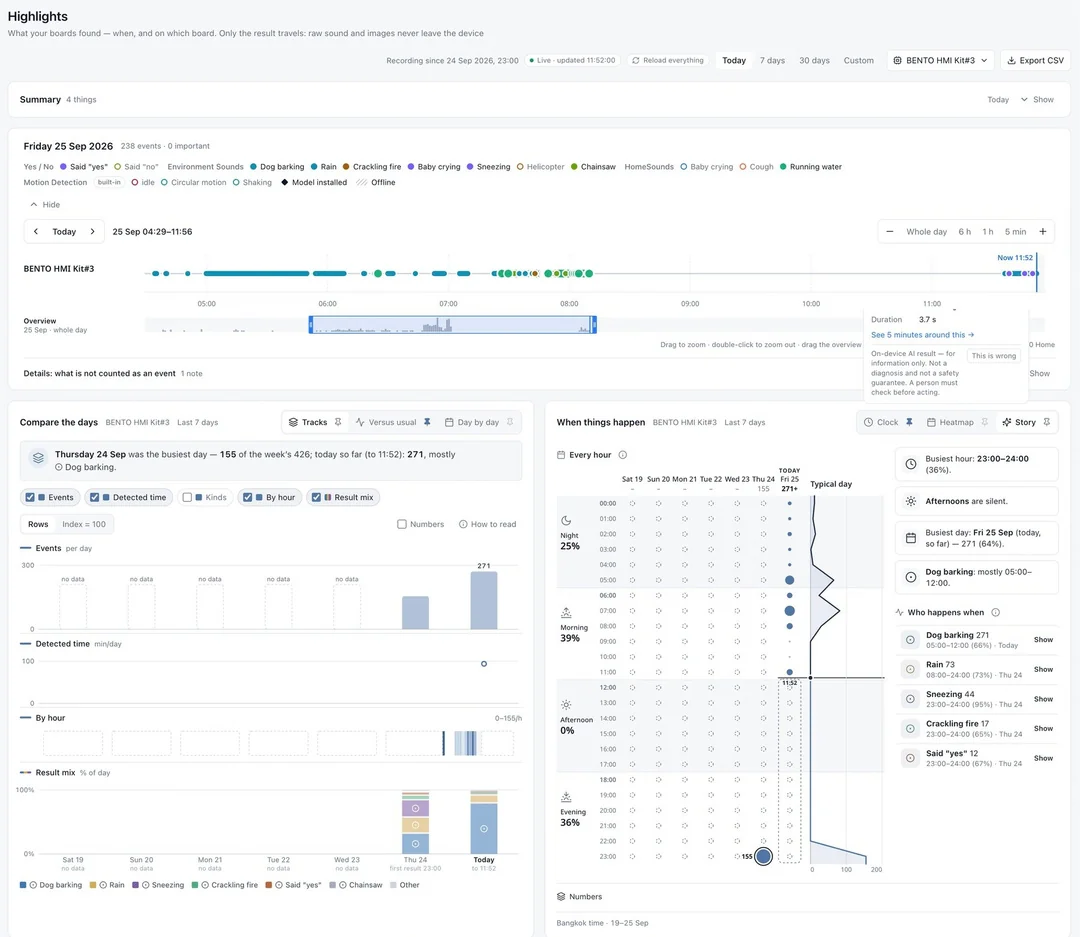
    My Scenes and Highlights: several models together on one board, and a timeline of what they recognised.

  • Today

    Sealed to one board: each package is encrypted to that board's own key and carries a one-time ticket (on the BENTO HMI Kit, over USB or an encrypted network link).

  • Roadmap

    Paid per-board licences in the Edge AI Store, opening with online sales.

Edge AI model catalogue
My Scenes
My Scenes
Highlights
Highlights

05 · BENTO Device

Looks like a smart clock. Thinks like edge AI.

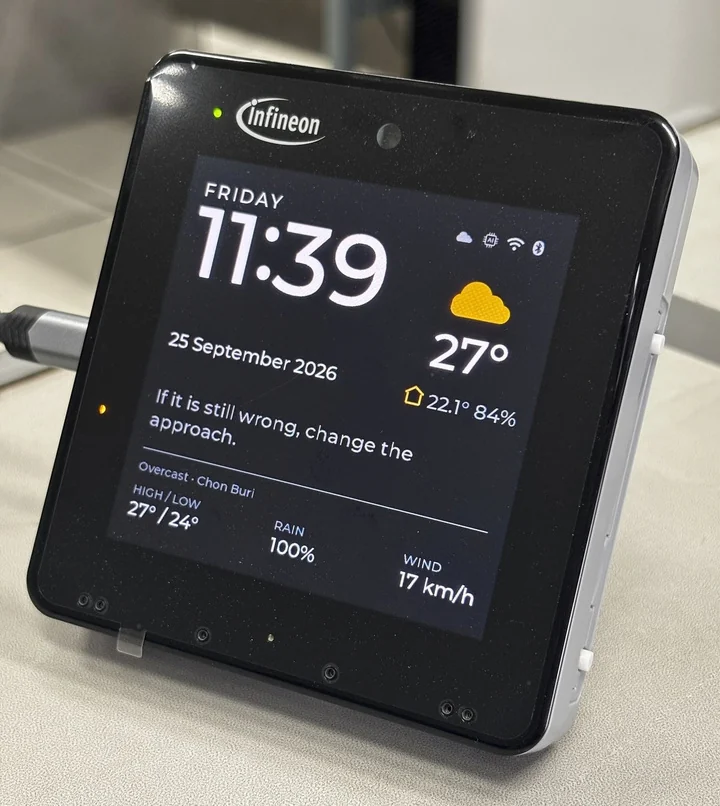
The PSOC™ Edge E84 HMI form factor puts radar, an IMU and a microphone behind a screen people want on their wall. Every room uses the same hardware design, with its own scene.

  • Today

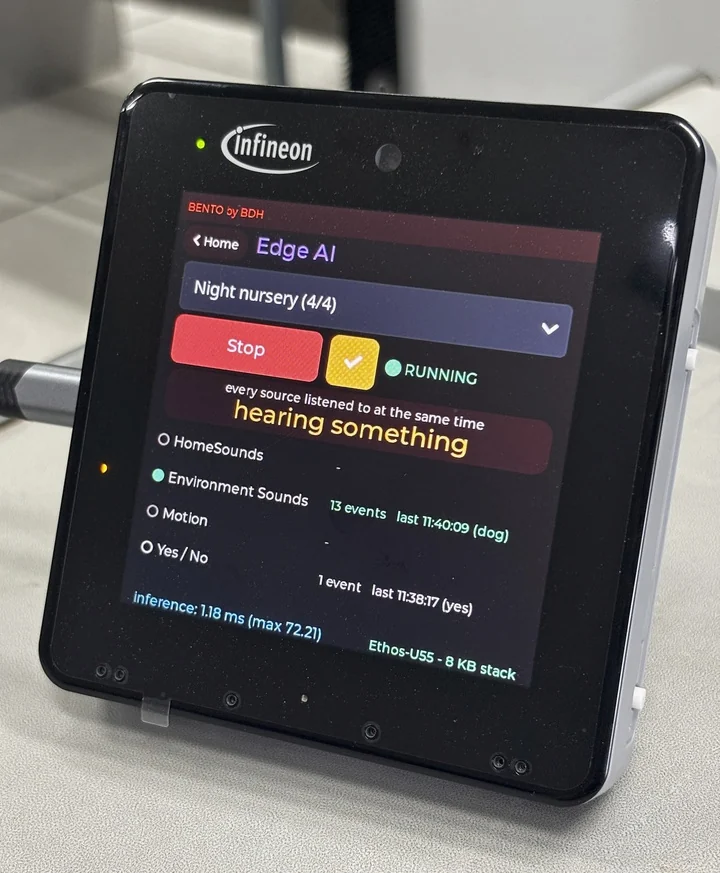
    Models run offline on the chip's NPU; results show on the screen.

  • Today

    Highlights carry results (what was recognised and when), not recordings.

  • Today

    Registered to its owner by chip ID in the Edge AI Store.

A BENTO device on the PSOC™ Edge E84 HMI kit showing a clock and weather face
The same device showing its Edge AI screen with models running

Current status

Where each capability stands today.

We keep live, bench-proven and upcoming work apart, and every line names where it applies.

Where each capability stands today.
CapabilityStatusApplies to
On-device inference, offlineTodayBENTO MicroPython on PSOC™ Edge E84 kits
Deploy a model from the browser, no reflashTodayEdge AI Store, from the browser over USB
Record board data into trainingTodayEdge AI Creator → Edge AI Trainer (IMU, microphone)
Gated training to an NPU-ready modelTodayEdge AI Trainer (pilot, by invitation)
Packages sealed to one board, with a one-time ticketTodayBENTO HMI Kit, over USB from the Edge AI Store or over an encrypted network link
Models stored encrypted under a key that belongs to the chipTodayBENTO HMI Kit
Secure boot; signed and sealed models requiredTodayEvery BENTO device we deliver

Inference latency, model size and boot time are not published yet; we will publish them when they are measured on named boards.